The Scripts
If you have worked at a chip company, you know exactly what I am talking about.
Somewhere in the build directory there is a Makefile that calls a shell script that calls a Perl script that calls a Tcl script that sources an environment file that sets 47 variables, three of which conflict with each other depending on which version of the tools you have installed. The Makefile has a comment at the top that says "DO NOT MODIFY" and a date from 2014. Nobody wrote documentation for it because the person who wrote it left the company in 2017.
I spent 15 years at Microchip. My main job was building and verifying chips. But between tapeouts, I was the person who would dig into the flow scripts to make things a little better, debug problems when people got stuck, or evaluate new tools from different vendors and integrate them into our workflows. It was always there in the background. Not my primary role, but a constant side task that someone had to do.
Every team had their own scripts. Every project forked from the last project's scripts, accumulated local modifications, and diverged. When a tool version changed, half the scripts broke. When a new tool needed to be integrated, someone had to trace through the entire chain to figure out where it fit.
This is the problem that LibreLane solves.
LibreLane
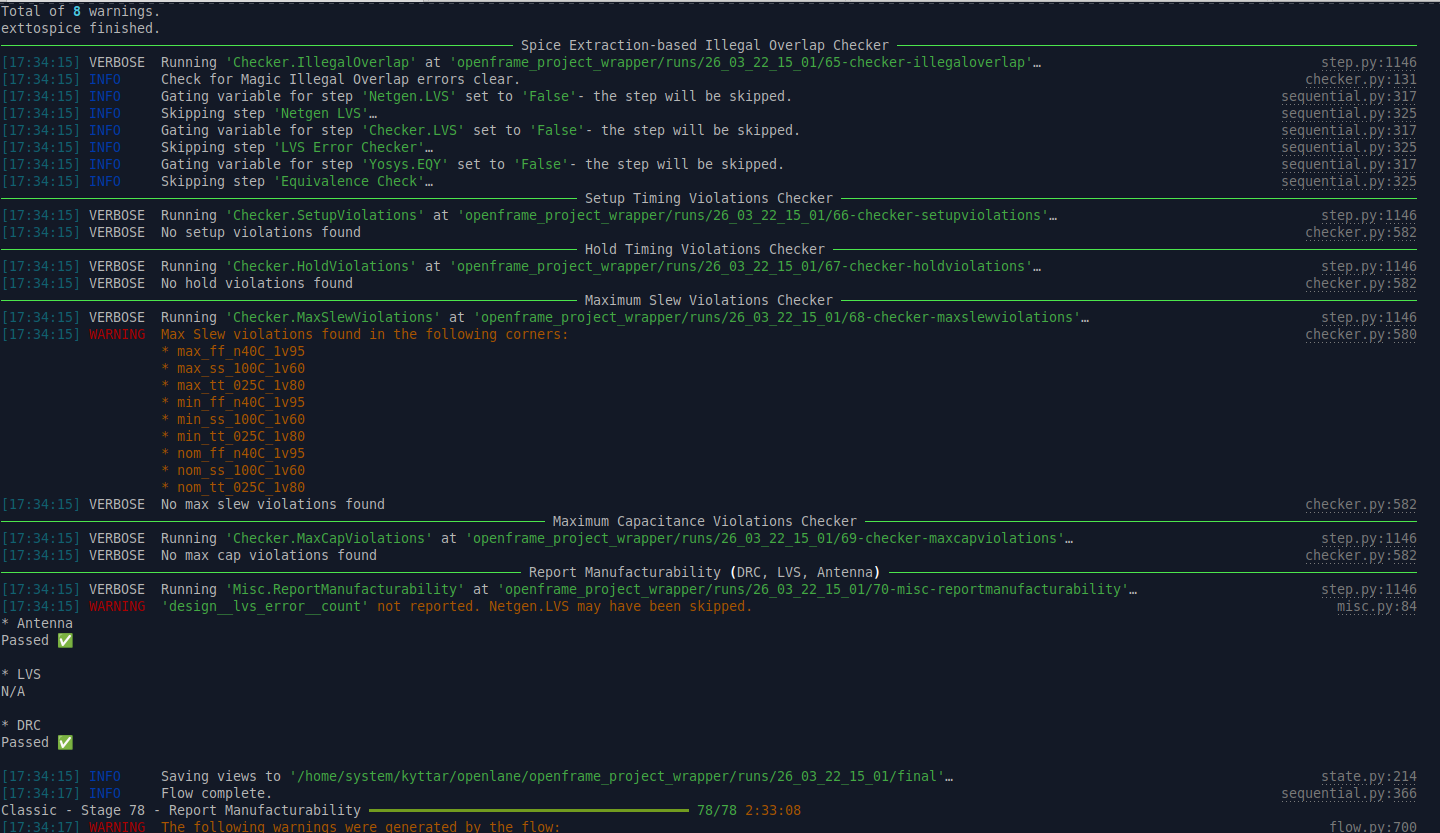
LibreLane is the successor to OpenLane, rewritten from scratch with a modular Python-based architecture. It wraps Yosys, OpenROAD, Magic, Netgen, and the full suite of verification tools into roughly 80 automated steps. Synthesis, floorplanning, placement, routing, parasitic extraction, DRC, LVS, timing analysis, GDS generation, all orchestrated in a single, reproducible pipeline.
The key difference from the old way of doing things: you do not write scripts. You do not maintain Makefiles. You do not debug Tcl. You write a configuration file.
The Config File
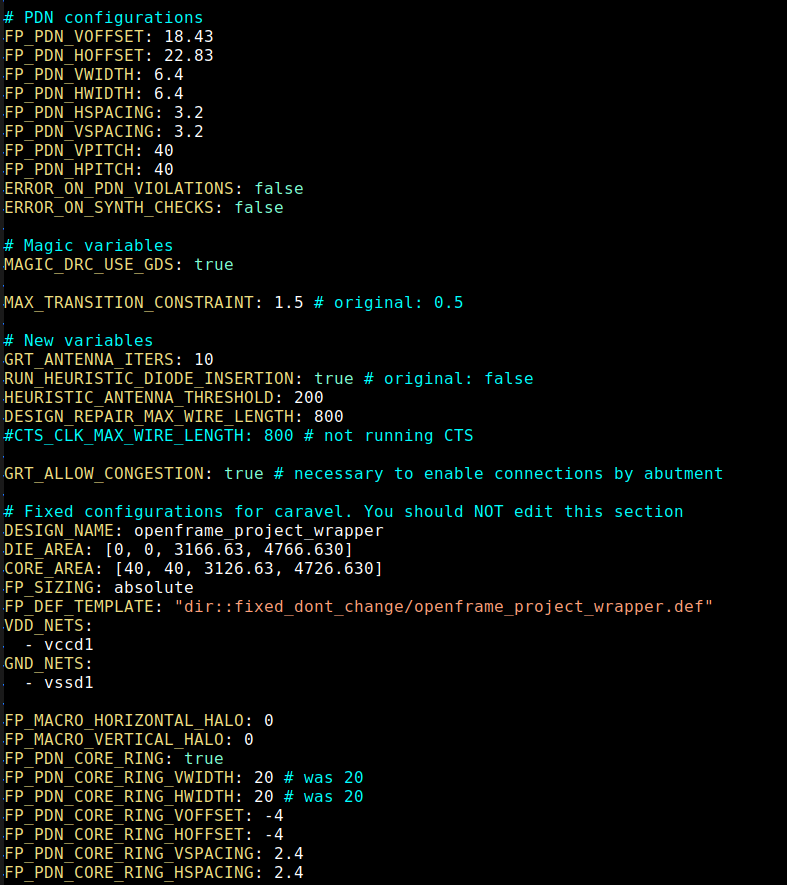
One config file, JSON or YAML, defines the entire flow for a given design. It specifies your Verilog source files, the target die area, placement density, pin assignments, and any flow parameters you want to override. The defaults are well-documented and sensible. For most designs, you are tweaking a handful of variables, not writing a flow from scratch.
This is a profound shift. In the commercial world, customizing the flow means editing Tcl scripts that interact with proprietary tool APIs. You need deep knowledge of each tool's scripting interface. In LibreLane, you change a value in a config file. The flow handles the rest.
Even for our fully asynchronous design, which has no clock, uses latches instead of flip-flops, and requires custom handling at nearly every stage, the config file approach works. We disable clock tree synthesis, adjust timing constraints, and point to our custom cell libraries, all through configuration. No fork of the flow required.
The Nix Container
Getting the tools installed is traditionally its own nightmare. Commercial EDA requires version matrices, license servers, IT tickets, and a dedicated CAD team to keep everything running. Even in the open-source world, building OpenROAD from source with the correct dependencies used to be a multi-hour ordeal that failed in creative ways depending on your Linux distribution.
LibreLane ships with a containerized NixOS environment. Every tool (Yosys, OpenROAD, Magic, KLayout, Netgen, the PDK) is pinned to exact versions and built reproducibly. You pull the container and everything works. No dependency conflicts. No "works on my machine" problems. When a new version drops, you git pull and rebuild. That is it.
ChipFoundry's cf Flow
ChipFoundry takes this a step further with their cf command-line wrapper. Where LibreLane orchestrates the individual EDA tools, cf orchestrates the project-level workflow.
The basic command is simple: cf harden <DESIGN>. That runs the full LibreLane flow for a given design block, synthesis through GDSII. But the real power is in the macro-level workflow.
A chip is not one monolithic block. It is a hierarchy of macros. In our case, we harden individual cells first, then compose them into a cell array, then integrate the array into the top-level project wrapper. Each macro gets its own config file, its own hardening run, and its own verified GDSII. The cf flow manages this hierarchy: it knows which macros depend on which, hardens them in the right order, and integrates the results.
This is the workflow that would normally be managed by a custom build system maintained by one senior engineer who everyone hopes never leaves. cf replaces that with a standardized, documented, repeatable process.
OpenFrame
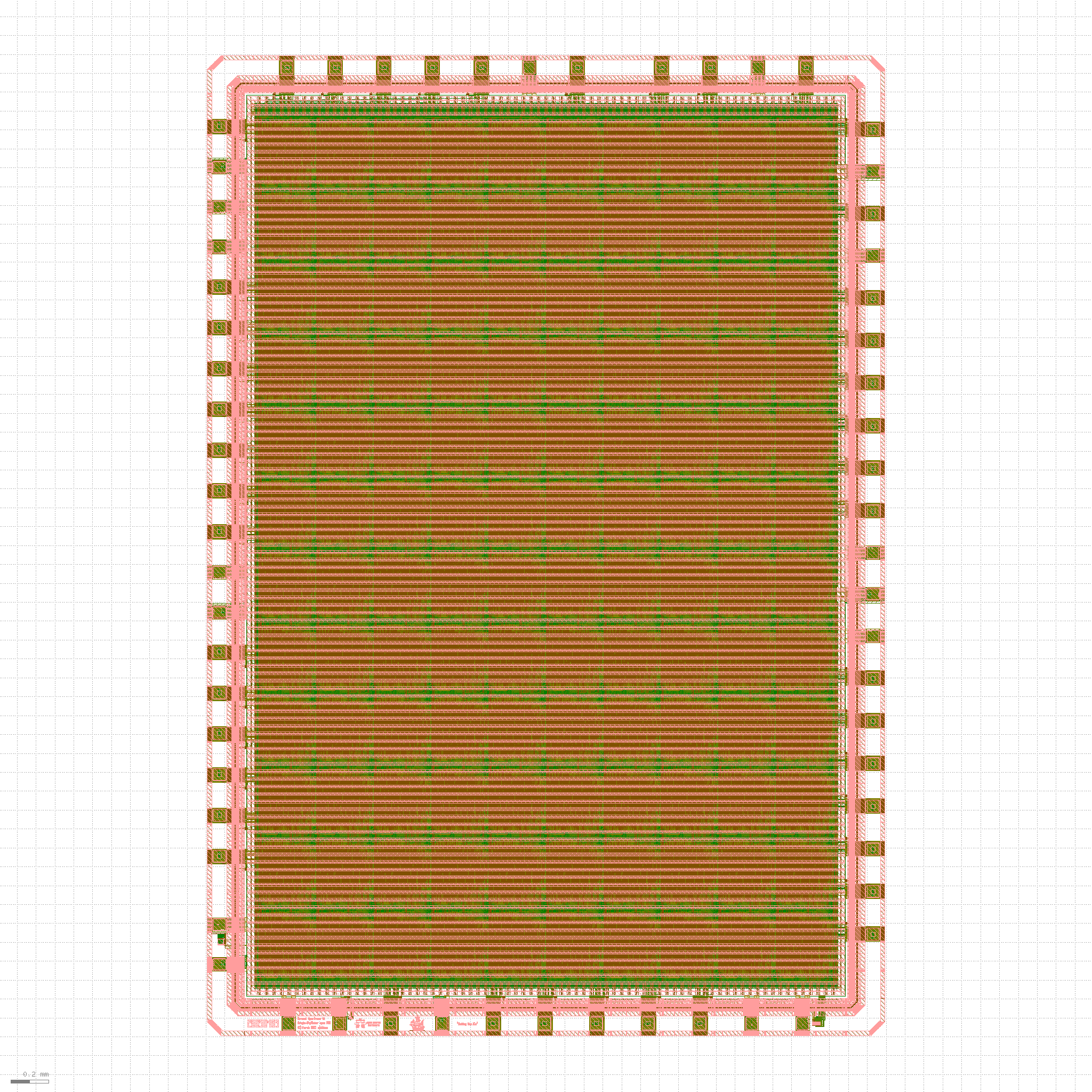
The final piece is the chip template. ChipFoundry provides OpenFrame: a pre-built pad ring with 44 general-purpose I/Os, power and ground pads, and ESD protection structures. The user area is approximately 15mm². You configure the cavity dimensions in your project config, and the flow handles connecting your design to the pad ring.
There is a tradeoff: the die size is fixed. You get a standard frame whether you need 5mm² or 14mm² of silicon. For a production chip where every square millimeter matters, this would be a limitation. For a test chip, for proving out an architecture, characterizing a design, getting real silicon in your hands, it works. And the alternative is designing your own pad ring, which is months of work that has nothing to do with the actual chip you are building.
Precheck
Once your design is hardened and integrated into the OpenFrame pad ring, there is one final step: cf precheck. This runs the same checks that ChipFoundry performs before accepting a design into the fabrication maskset. DRC, antenna checks, connectivity verification, and most importantly, LVS against the full chip: your project wrapper instantiated inside the OpenFrame pad ring, verified as a complete unit.
LVS at this level is skipped during normal hardening. It only runs during precheck, because this is the first point where the full chip exists: your design, the pad ring, the power connections, everything. If precheck passes, the design is ready to submit. If it fails, you know before ChipFoundry does.
What This Means
Last week I listed every tool in the flow. This week I am showing how they fit together. The answer is: someone already did the hard work of integrating them.
LibreLane replaced the scripts. The Nix container replaced the install nightmare. cf replaced the tribal knowledge. OpenFrame replaced the pad ring. What is left is the actual engineering: designing your chip, writing your RTL, verifying your design.
This is the foundation everything else builds on. In the coming weeks, when we go deeper into synthesis, place and route, custom cell design, and timing closure, we will reference specific LibreLane configuration knobs and cf commands. This post is the context for all of that.
Next week: synthesis with Yosys, how we take asynchronous Verilog RTL with no clock and convince a synthesis tool designed for synchronous design to do the right thing.